Machine-Settings
Use Machine-Settings to edit:
•Machine Speed
•Number-of-Steps (in one machine-cycle)
•Engineering Units

|
Click Edit toolbar > Machine-Settings OR Click Edit menu > Machine-Settings |
|
|
The Machine-Settings dialog is now open. |
|


Machine Settings dialog
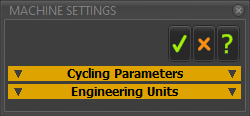
Machine Settings dialog
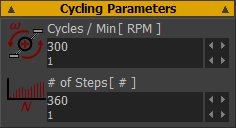 Cycling Parameters |
Cycles ∕ Min: (RPM) ( See also Note 1 ) RPM - Revolutions per Minute. - the model's Simulation-Speed. - the rate-of-change of the Master-Machine-Angle. MotionDesigner uses RPM to calculate the velocity, acceleration, and jerk values of the motion in each Motion name-tab Number-of-Steps ( See also Note 2 ) Number-of-Steps = 120 is ideal. 360 should be the maximum for nearly all models. Number of Steps is equal to the number of: •increments to cycle the model with Run menu > Step Forward / Step Backward •facets along a 2D-Cam in the graphics-area - see Note 2 •points along each graph - see Graph FB •points along the curve of a Trace-Point - see Add Trace-Point •points/dots on the Motor Torque and Speed Curves |
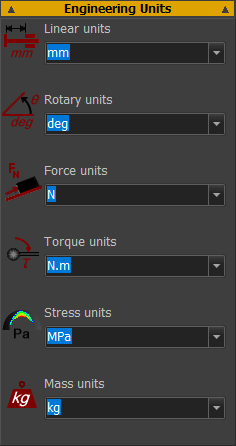 Engineering Units |
||||||||||||
Engineering Units : ( See also Note 3 )
|
More about Machine Settings parameters.
|
Cycles ∕ Min does not change the animation-speed. Change the animation-speed with the Animation Speed Slider. Do NOT increase Number-of-Steps to increase the accuracy of your model or a 2D-Cam. To step the model through a machine-cycle with small steps (increments), use the Spin-Box in the Master Machine Angle. If you change the dimension units, you do not change the size of the model. For example: 100 mm is 3.94 inches if you change Linear units from mm to inches. For example: 100 degrees is 1.75 radians if you change Rotary units from degrees to radians. In all cases, we do not show you the units in the graphics-area. |