User Interface - Visual Reference
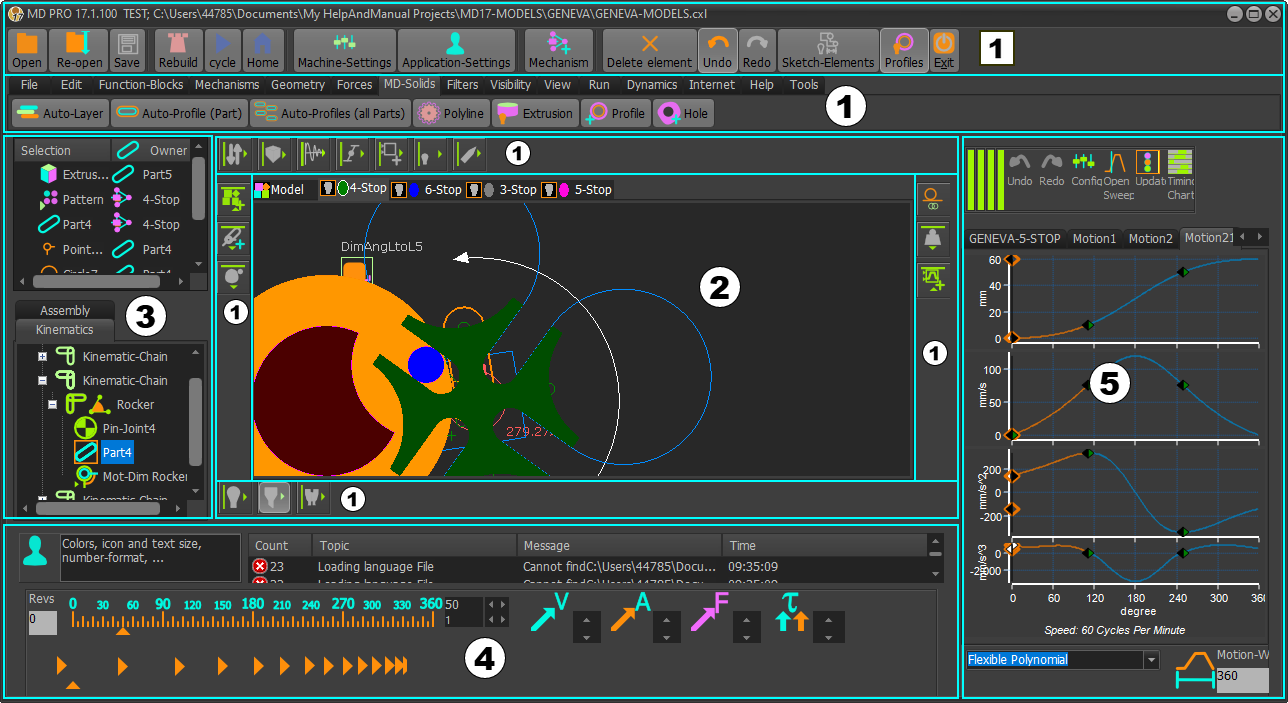
Menus and Toolbars
|
||||


You can show Menus only, Toolbars only, or show Menus and Toolbars - see Application-Settings > Accessibility tab > |

Workspace
The workspace is the graphics-area with its name-tab.
The workspace is the same for all three editors:
You add different types of elements to each editor, and to build your model.

Project-Explorer
It is to the left of the graphics-area.
It is a summary of the element in your model.
See more: Project-Explorer

Feedback-Area
It is below the graphics-area.
It provides messages, hints, and sliders to change the machine-angle and the animation-speed you continuously-cycle your model.
See more: Feedback-Area

MotionDesigner
It is docked (default) to the right of the graphics-area.
See more: MotionDesigner
Memo
A memo shows when you start MechDesigner the first time.
To turn the Memo off, deselect the Open Automatically at Start check-box at the bottom and left of the memo.
See more: Memo