DXF-Element
When you open a DXF file with File > Open > *.DXF you add a DXF-Element to the Assembly-Tree.
The DXF-element is a container for the DXF-Drawing.
Edit the DXF-Element to:
•Link the DXF-element to a different DXF-Drawing
•Apply different Linear Units to the DXF-Drawing
Note:
To display the DXF-Drawing that is contained by the DXF-Element: 1.Edit a CAD-Line to open the CAD-Line dialog In the DXF tab 2.Select the DXF-Element |
How to open the DXF-Element dialog
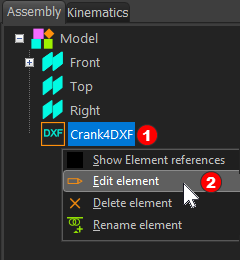 Editing the DXF-Element from the Assembly-Tree |
To edit the DXF-Element
The DXF-Element dialog is now open. |


DXF-Element dialog
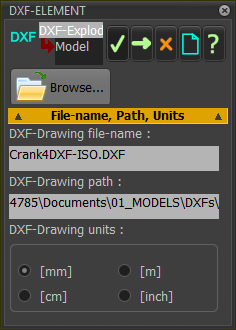 |
File name, Path, and Units DXF-Drawing file-name ; Path
DXF-Drawing Units
To apply the new DXF-Drawing and Units to the DXF-Element:
|