CAD-Line > Mass Properties tab
Use the CAD-Line > Mass-Properties tab to:
•Enter mass properties, which add to all other mass-properties on the CAD-Line •Import the mass-properties of the active SolidWorks document •Review the total mass-properties of a Part (Note: all CAD-Lines on the Part) |
Bug
When you rebuild the model, the Center of Mass for a User Mass-Property can move to the incorrect X,Y coordinates in the Part. To locate the Center of Mass in a Part correctly: •Home the model; •Start and immediately exit the Part-Editor for the Part, and •Rebuild the model two times. |
CAD-Line dialog
Mass Properties tab
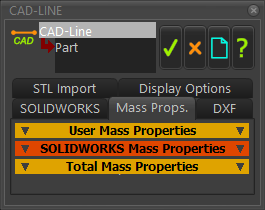
CAD-Line dialog > Mass- Properties tab

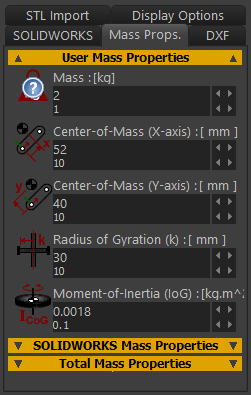 |
Note: •The correct term for Moment of Inertia is Mass Moment of Inertia •The X-axis is along CAD-Line, the Y-axis is at +90º and on the Mechanism-Plane. •The 0,0 is at the start-Point of the CAD-Line. |
|||
Moment-of-Inertia: Radius-of-Gyration, and Point-Mass. Case 1: If you enter a Mass but do NOT enter a Radius-of-Gyration or Moment-of-Inertia, the Mass is termed a “Point Mass”. The x,y position of the mass relative to the CAD-Line is at center-of-Mass: X–axis, and center-of-Mass: Y–axis. CASE 2: If you enter a Mass and a Moment-of-Inertia, then the Radius-of-Gyration, , is :
Case 3: If you enter a Mass and a Radius-of-Gyration, then the Moment-of-Inertia, , is :
Parallel Axis Theorem We use for you the Parallel Axis Theorem to calculate the Mass Moment-of-Inertia about the Part's instantaneous center-of-rotation.
= distance to the Center-of-Mass from the center-of-rotation. Bug
|
||||
When you import a SolidWorks document onto a CAD-Line, you can also import its Mass-Properties. |
|||||
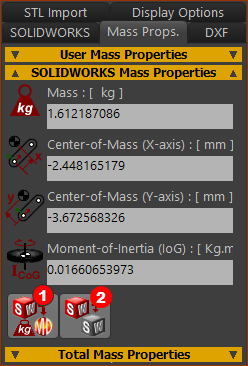 |
Button Note: Before you click button
Button |
||||


Total Mass Properties: For each Part, we add these Mass Properties to give the Total Mass Properties : •Mass and Mass-Properties that we calculate for you for ALL Profile/Extrusions in the Part •User Mass-Properties as you define for ALL CAD-Lines in the Part •SolidWorks Mass-Properties that you import for ALL CAD-Lines in the Part |
|
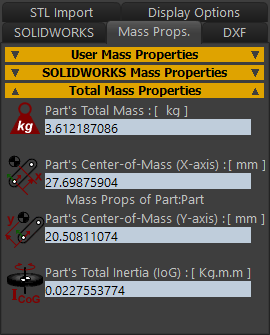 |
NOTES: Parallel-Axis Theorem Mass Moment of Inertia about a Part's Rotational-Axis = Total Mass Moment of Inertia about Center-of-Mass + Total Mass × (Distance to Part's Rotational-Axis)2 Relationship between Mass Moment-of-Inertia and Radius of Gyration Total Mass Moment of Inertia (about center-of-Mass) = Total Mass × (Radius-of-Gyration)2 |