Profile / Extrusion
When you do MD-Solids menu > Profile, or Auto-Profile (Part), or Auto-Profile (all Parts), we:
•add a Profile* as a child to a Part and also
•an Extrusion element as a child to the Profile.
* Profile, or Auto-Profile
Note
You can only edit the Extrusion - see below You can only delete the Profile |

The Extrusion dialog is now open. |

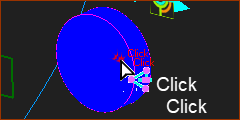
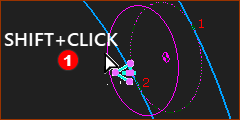
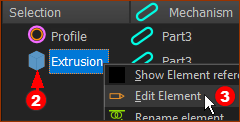


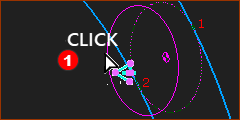
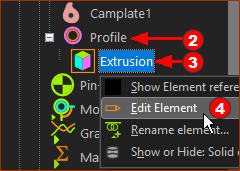

Extrusion dialog
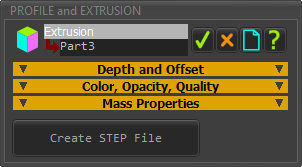 Extrusion dialog |
There are three separators in the Extrusion dialog. Depth and Offset Color, Opacity and Quality Mass Properties Also, you can save the MD-Solid of the Extrusion as a STEP file. |
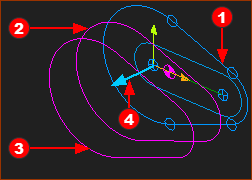 Sketch-Loop and Profile contours |
|
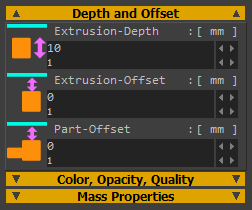 Extrusion dialog | Depth and Offset
|
Extrusion-Depth (default = see Application-Settings> Auto-Profile tab) The distance to the Secondary-Contour Extrusion-Depth must be positive. Minimum value = 0.0001mm Extrusion-Offset (default = 0) The distance to the Primary Contour from the dimension that you specify by Part-Offset. Extrusion-Offset can be negative or positive. Part-Offset (default = 0) Applies to ALL Extrusions on a Part. The distance to the Primary Contour from the Mechanism-Plane to which we add the distance specified by the Extrusion-Offset parameter. Part-Offset can be negative or positive. Note: The distance to Primary contour |
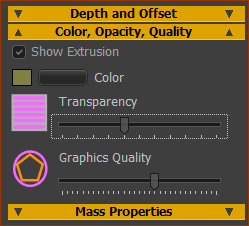 |
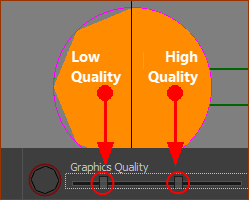
Show Extrusion Check-box to show or hide the Extrusion Note: To hide the Profile contours, see Visibility menu > Show/Hide Profiles Color Button to select the color of the Extrusion with the Windows® Color-Picker Transparency (slider) Slider to change the Transparency (1/Opacity) of the Extrusion in the graphics-area Graphics Quality (slider) Slider to change the Graphics Quality of the Extrusion Note: To update to a different Graphics Quality, you may need to edit the Part in the Part-Editor and then close the Part-Editor immediately. See also: Application Settings | Graphics |
 Low Quality High Quality |
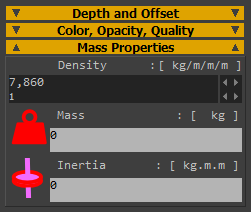 |
Density (default = 7860 ~ density of steel) To edit the density of the Extrusion. As you edit the Density, we update the Mass and Inertia properties. Mass (read-only) Mass = Density × area of sketch-loop × Extrusion Depth. We distribute the mass uniformly. The center-of-mass is on the Mechanism-Plane. Inertia (read-only) We calculate the Inertia (Mass Moment of Inertia) with respect to the center-of-mass. |