Point Properties
Use the Point-Properties dialog to:
•Show in the graphics-area the Velocity Vectors and Acceleration Vectors of a Point*. The magnitude of the Velocity and Acceleration is at the tip of the vector.
•Show the Velocity Vector with Local or Global coordinate systems.
•Show the Velocity-Vector with respect to only the X, Y, or Z axes.
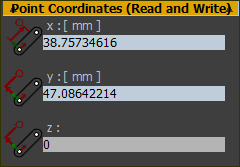
•Find the X and Y coordinates of a Point* on the XY-Plane of the Mechanism-Editor.
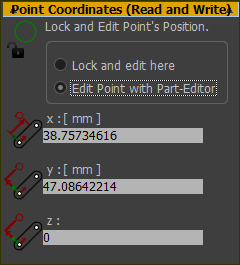
•Find the x, y, and z coordinates of a Point* on the xyz-axes of the Part to which the Point is a child.
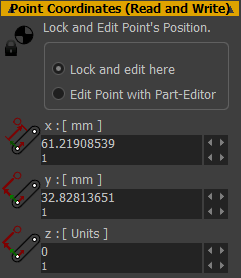
•Edit the x, y, and z coordinates of a Point* in a Part - but ONLY when the position of the Point* is not limited by ANY dimensions or ANY constraints.
See also: Vector Scale buttons in Feedback-Area.
* Point, start-Point, end-Point, center-Point.

|
To open the Point Properties dialog
|
|
The Point Properties dialog is now open. |
||
Point Properties dialog
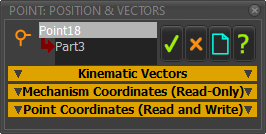
Point-Properties dialog
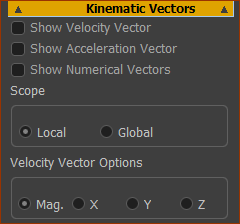 |
Velocity Vector and Acceleration Vector ❑Show Velocity Vector - evaluated at each machine step with closed-form algorithms ❑Show Acceleration Vector - evaluated at each machine step with closed-form algorithms ❑Show Numerical Vectors - calculated numerically with a difference algorithm. Note:
|
||
If you show Velocity Vector or Acceleration vector, or both:
|
|||
Scope Calculate and display the Velocity and Acceleration Vectors relative to the:
Velocity Vector Options Display Velocity Vectors as:
These can be useful to compare the X (or Y or Z) velocity components of a Point with the velocity of a Conveyor, for example. |
|||
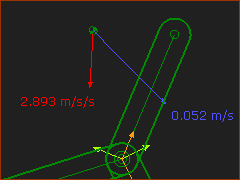 Velocity and Acceleration Vectors |
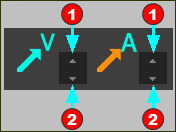
Scale and Length of Vectors Edit the length of the vectors, use the buttons in the Feedback-Area:
See: App-Settings > Graphics tab > Display colors | Vel/Acc Vectors |
||


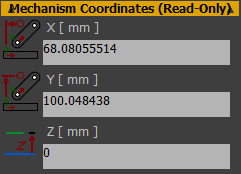 |
The Point's Mechanism Coordinates (X, Y, Z ) are relative to the Origin of the Mechanism-Plane (XY-Plane of the Mechanism-Editor), and also the Base-Part. The X, Y, Z dimensions are read-only. |
Point with Constraints
Point without Constraints
|