Help
The Help menu (no toolbar) has the tools to find different help formats.
Help menu - MD17
When you show menus, the Help menu is at the top.

Help menu - MD17
|
Hints Click to toggle between “show” or “hide” hints as you move your mouse above a command icon, or over different areas of a dialog. |
|
Local Help We put the Local Help in <CommonAppData>\ Help \ - when you install MechDesigner. To get contextual help: •Click Help menu > Open Local Help •Click the •Press the F1 key when you move your mouse over a command button. |
|
On-line Help You need an Internet connection. We open for you the MechDesigner's Help Welcome Page. The On-Line help has many tutorials. |
|
Download Latest Help You MUST start MechDesigner with Administrator Rights Download the Local Help to make sure you have the latest version. 1.Click Help menu > Download Latest Help... 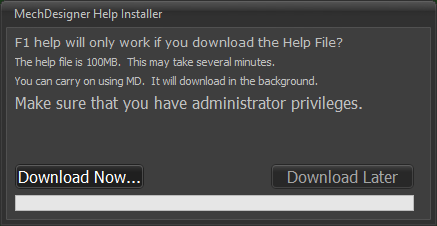 2.Click Download Now button |
|
Download Example Models 1.Click a model from the list of Examples Wait for the model to download. Some models are large. Please be patient to make sure the file downloads. To show MD-Solids and any CAD-Solids •Click: Edit menu > Auto Update / Rebuild •Click Visibility menu > Show Model in Mechanisms •Click Visibility menu or Element-Display toolbar > Show/Hide Planes to hide Planes that may hide other elements in the model. |
|
Toggle Hints Use to show tool-tips next to your mouse-pointer. 1.Click to Toggle Off (You may need to click this two(2) times) 2.Click again to Toggle On |
|
MechDesigner YouTube Click to see the MechDesigner YouTube channel. |
About: See About dialog |


