Show Element References
See also: Delete Dependent Elements
Many elements need other elements.
Show Element References is a list of those elements that reference a more complex element.
For example, when you add a Pin-Joint, you select a Point from two Parts. Therefore, the Reference Elements of the Pin-Joint are the two Points.
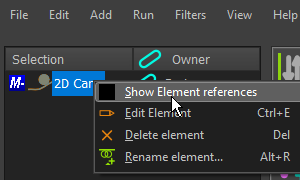 Selection--Window: Right-Click |
To Show Element References for an element: 1.Click an Element in the graphics-area, or the Assembly-Tree The element should be in the Selection-Window. 2.Right-click the element in the Selection-Window 3.Click Show Element References in the shortcut menu The List References for: element-name is now open. |
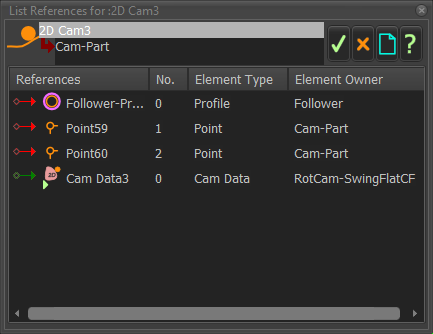 EXAMPLE: Element References for a 2D-Cam |
The example shows the: •Reference Element name •Number •Reference Element Type •Reference Element Owner |