 Menu-bar and General Toolbars:
Main Menu bar

When you show menus, the menus are at the top of the application window.
The File, Edit, Run, Filters, View, Help menus have the commands that are in most CAD applications.
The other menus have the commands to design and analyze your machine. Many commands are contextual to the active Editor type.
File menuOpen, New, Save, Save as, Exit, as well as Save Timing Diagram, ... Edit menuApplication-Settings and Machine-Settings, Undo, Redo, Rename, Delete, ... Function-Blocks menuUse Function-Blocks to plan how and when to apply a motion, measure motion or force, and many other useful tools. Mechanism menuAdd Kinematic elements (Parts, Joints, ...) and Machine elements (Cams,. Gear-Pairs, Racks, Pulleys) to Mechanism-Editors. Run menuTo move the model: Step-Forward (ALT+F), Step-Backward (ALT+B), Home (Home key), and Cycle-Continuously (ALT+C). Filters menuDisplay Filters and Selection Filters. View menuStandard Views, Spin, Pan, Window, Extents, Zoom-In, Zoom-Out, ... Help menu The Help menu has links to the Local Help and On-line Help, Tutorials, Examples, ... |
General toolbars
When you show toolbars the General toolbars have the tools and utilities that are in most CAD applications.
The General toolbars are above and below the graphics-area.
The toolbars are collapsed when you start MechDesigner.
To show/hide the commands in a toolbar, click its expand/collapse icon.
General toolbars ABOVE the graphics-area
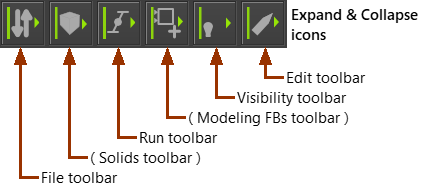
Overview of Toolbars ABOVE graphic-area
Click each icon to expand or collapse

 |
 |
 |
 |
 |
 |
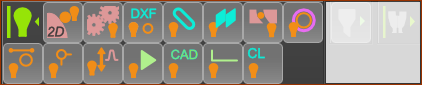
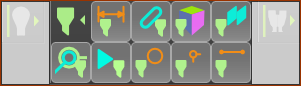
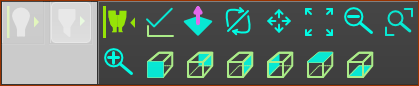
General toolbars BELOW graphics-area
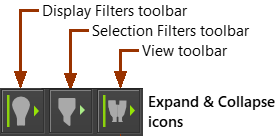
Overview of Toolbars BELOW graphic-area
Click each icon to expand or collapse
 |
 |
 |