File toolbar
MD 16 MD16: File toolbar MD 17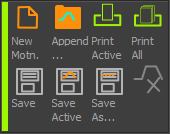 MD17: File toolbar |
|
|
|
||
|
Save all - See Note |
|
|
Save all as... - See Note |
|
|
Save Active Motion as... - See Note |
|
|
||
|
||
|
||
Notes: When you save a model with MechDesigner > File menu > Save or Save as, we save two files with the same name but with different file-extensions. The: •CXL file is for the MechDesigner model •MTD file is for the motions in MotionDesigner You can also save motions with: •MOTIONDesigner > File toolbar > Save all as ... to save all of the motions to one file-name. •MOTIONDesigner > File toolbar > Save Active Motion ... to save one motion to a file-name. Why save a motion to a different file-name? E.g. If a motion-design is complex you may want to save a motion, then re-import it as a new motion, to then experiment with different motion-values. You can use the motion you re-import as the basis for a different product, size, format, or machine. |
||


